
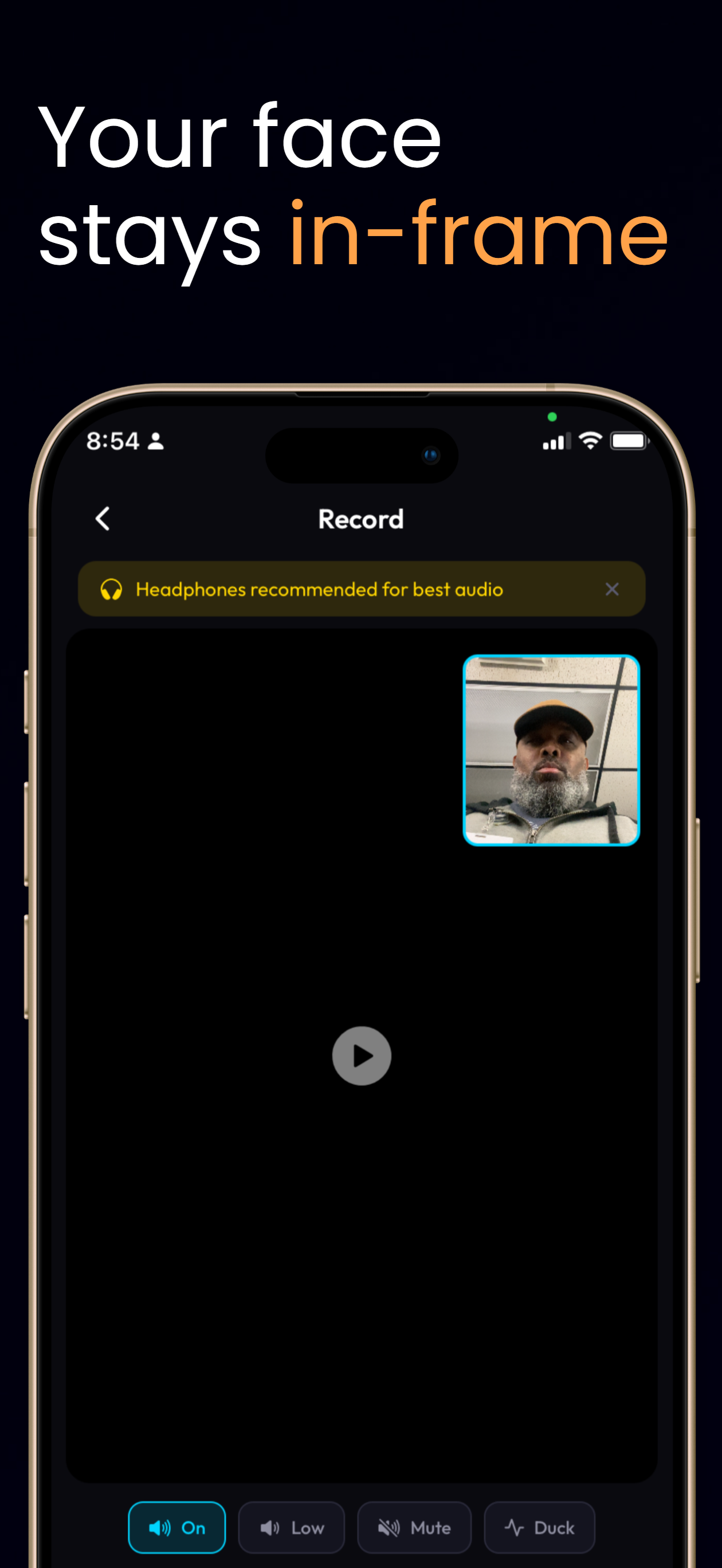
Four practical choices
Source audio can be On, Low, or Mute. With Duck enabled, ClipDuet lowers source audio based on facecam audio so your reaction has more room.
The microphone caveat
Duck is most reliable with a headset microphone. If the iPhone speaker is bleeding into the native microphone, that speaker audio can mask your voice and make ducking less dependable.
Pick for the clip
Mute suits commentary that needs no original sound. Low is a restrained middle ground. On with Duck works when the source context matters and you want your voice to come forward while speaking.
A setup that avoids false confidence
Headphones or a headset mic make the source and facecam voices easier to separate acoustically. With the native mic, iPhone speaker bleed can resemble your reaction audio and mask the signal Duck uses. Auto-duck is an audio aid, not studio isolation: listen back, and choose Low or Mute when the source is more distracting than helpful.
How to do it in ClipDuet
- Start a recording with a video background and connect a headset microphone when available.
- Set Source Audio to On, Low, or Mute based on how much of the original clip you want to hear.
- Turn on Duck when you want ClipDuet to lower source audio as you speak.
- Record a short check and switch to Low or Mute if speaker bleed is masking your voice.
Frequently asked questions
What does Auto-duck do?
It lowers source audio based on facecam audio to help your reaction voice lead.
Why is a headset microphone recommended?
It reduces iPhone speaker bleed into the native microphone, which can otherwise mask your voice.
Is Duck the same as muting source audio?
No. Duck lowers source audio while you speak; Mute removes the source audio. On and Low keep different amounts of source context.
Will Duck remove speaker echo?
No. It cannot guarantee isolation. Speaker bleed into the native microphone can make automatic ducking less dependable; a headset is the safer setup.
Can I change audio mode after recording?
Choose the source mode and Duck setting in the recording workflow. Review the result before exporting rather than assuming the mix will fit every clip.